Product Detail Pages

A brand-new UI and UX for the product detail pages to make shopping intuitive, fast, and easy for Restaurant Store customers

Problem

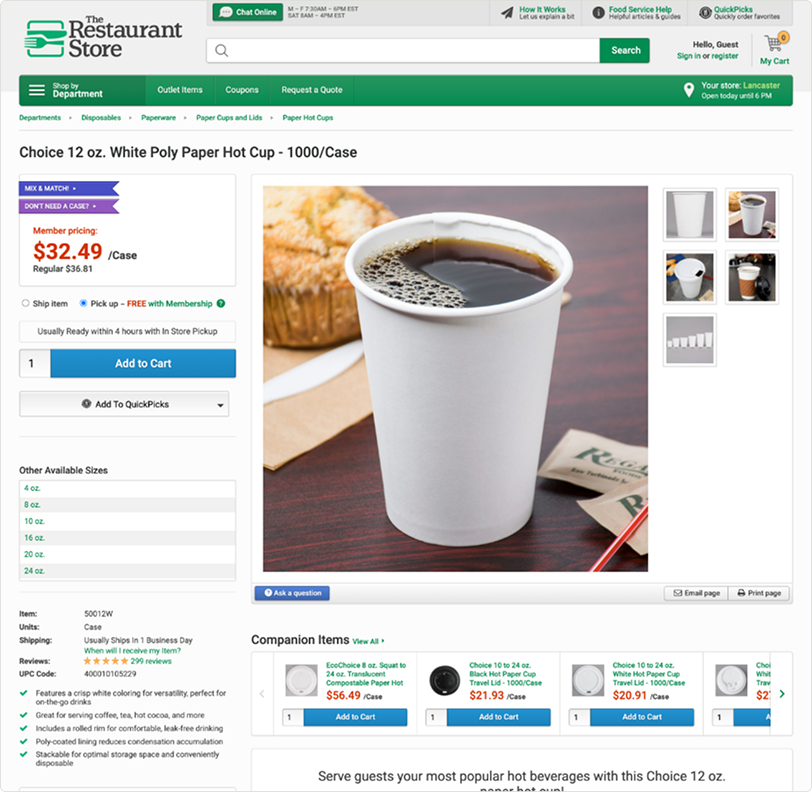
The Restaurant Store’s product pages used outdated UX patterns and styling. Shopping flows and layouts didn’t follow familiar e-commerce conventions, and important features—such as delivery options—were hidden, often making for a stalled or frustrating shopping experience.

Solution

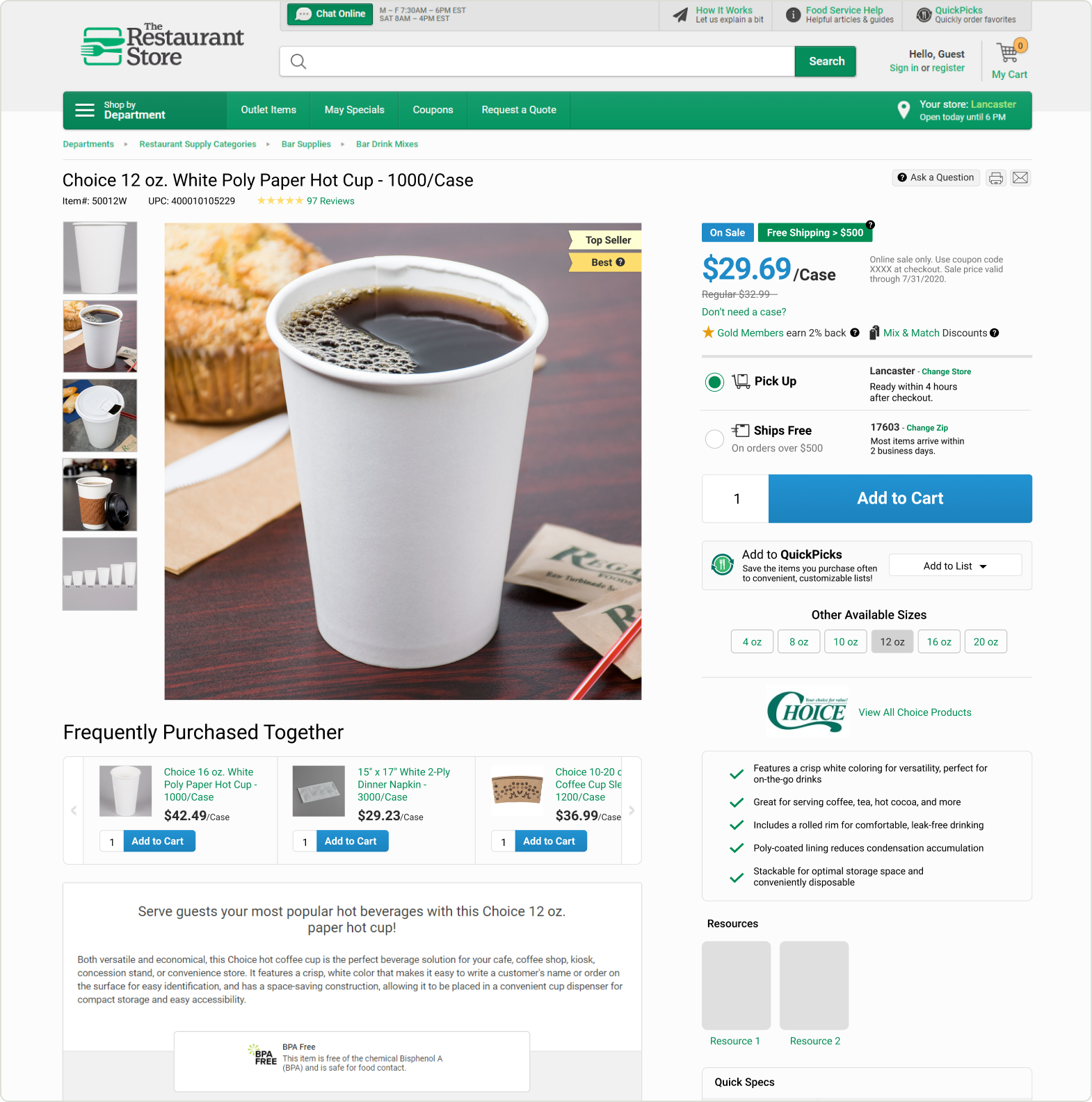
I updated both the UI and user flows on the product pages to improve the shopping experience, increase the visibility of important features, and align with the recent brand update. I also dedicated extra attention to refining small but meaningful interactions and UI components to help customers make faster, more informed decisions and feel more confident throughout the checkout experience.

Goals

Over a four-month timeline, I collaborated with software engineers and the marketing director. After informally gathering feedback from managers and retail employees about their vision for a wiki that could scale with growth, the marketing director and I defined the project goals.
Optimize design for mobile users
Standardize the operational procedures
Implement onboarding training courses
Implement a system for merchandising replenishment
Updated UI Patterns

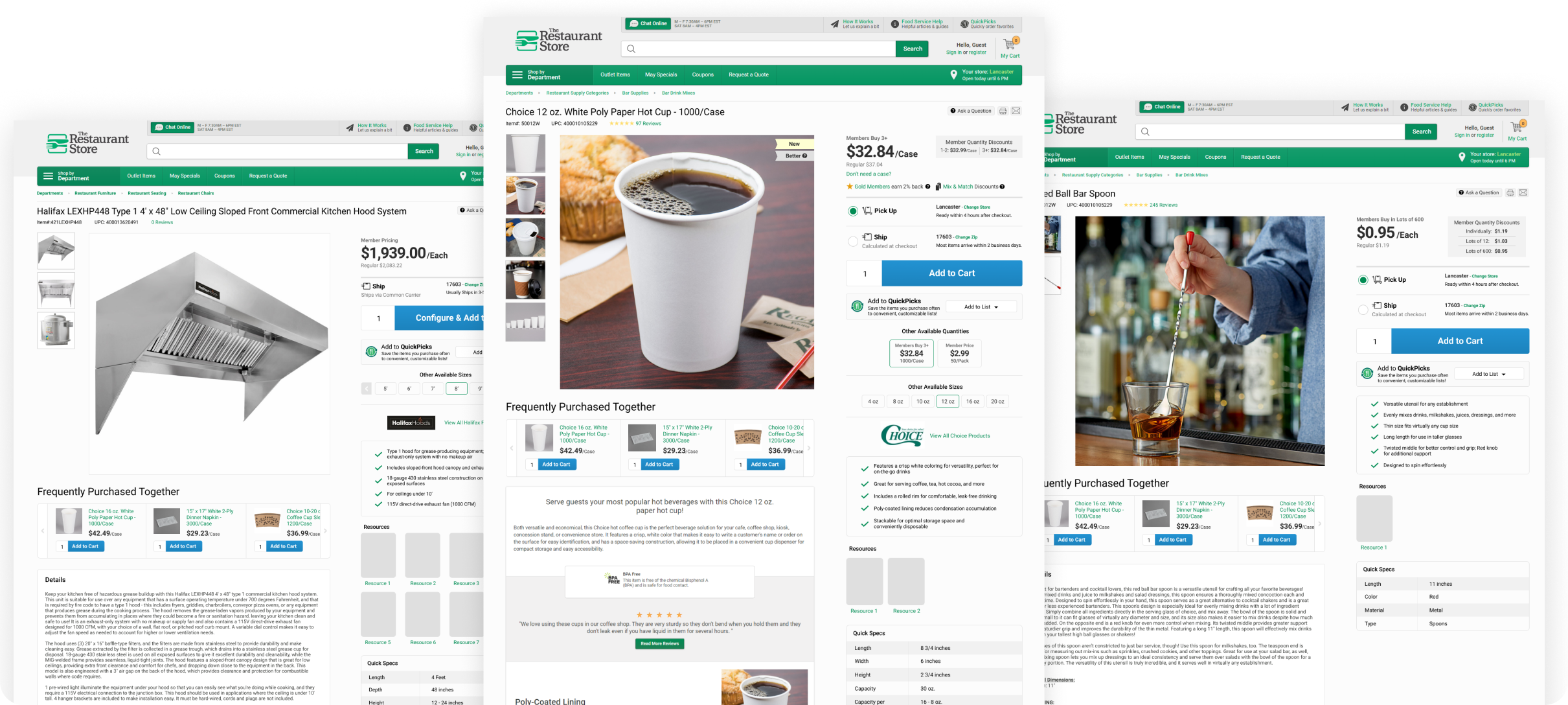
I returned to a standard two-column layout and designed template pages for both members and non-members. I switched to a more familiar layout used across e-commerce sites—placing the image gallery on the left and using the right side for pricing and purchasing actions. This grid allows the content to spread out and breathe.
Make Mistakes Early & Often
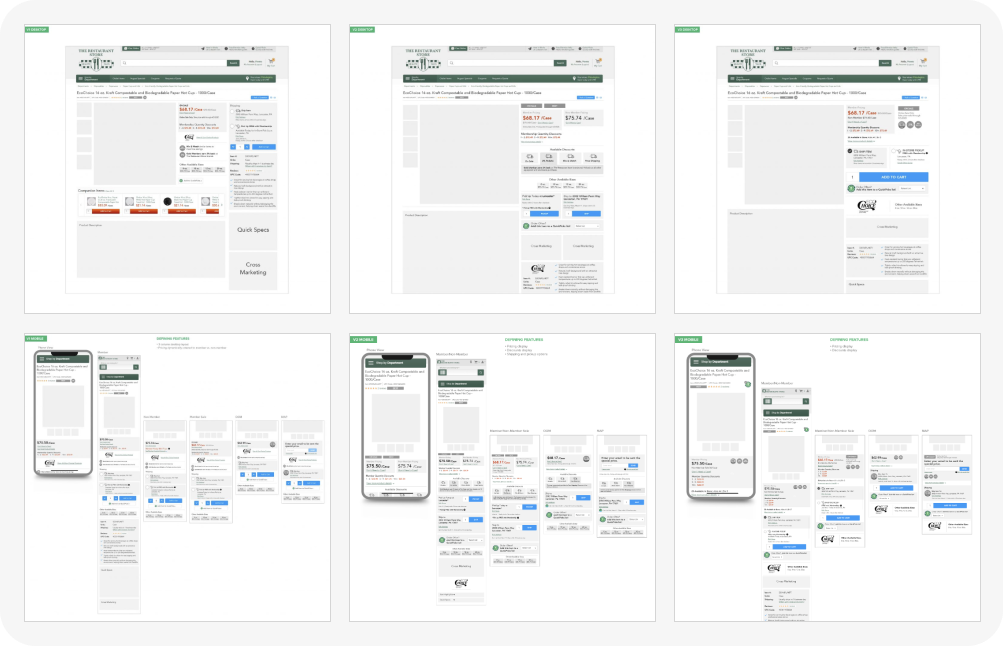
A major early challenge was choosing the right layout. Initially, stakeholders selected a bold but risky three-column design, and I moved straight into mockups. After reconsidering our users’ needs, we realized the three-column layout felt too cluttered for comfortable shopping.

Variations

I based the designs for product variations on the member and non-member templates. These variations included sales, out-of-stock items, out-of-market views, cases versus individual packs, and more.

Details

PDPs are intricate experiences with many small interactions and subtle but important differences between products. Creating a library of versatile components was essential for accommodating these nuances and ensuring a cohesive experience across a large catalog. Better UX and UI result in quicker, easier shopping.
Tags
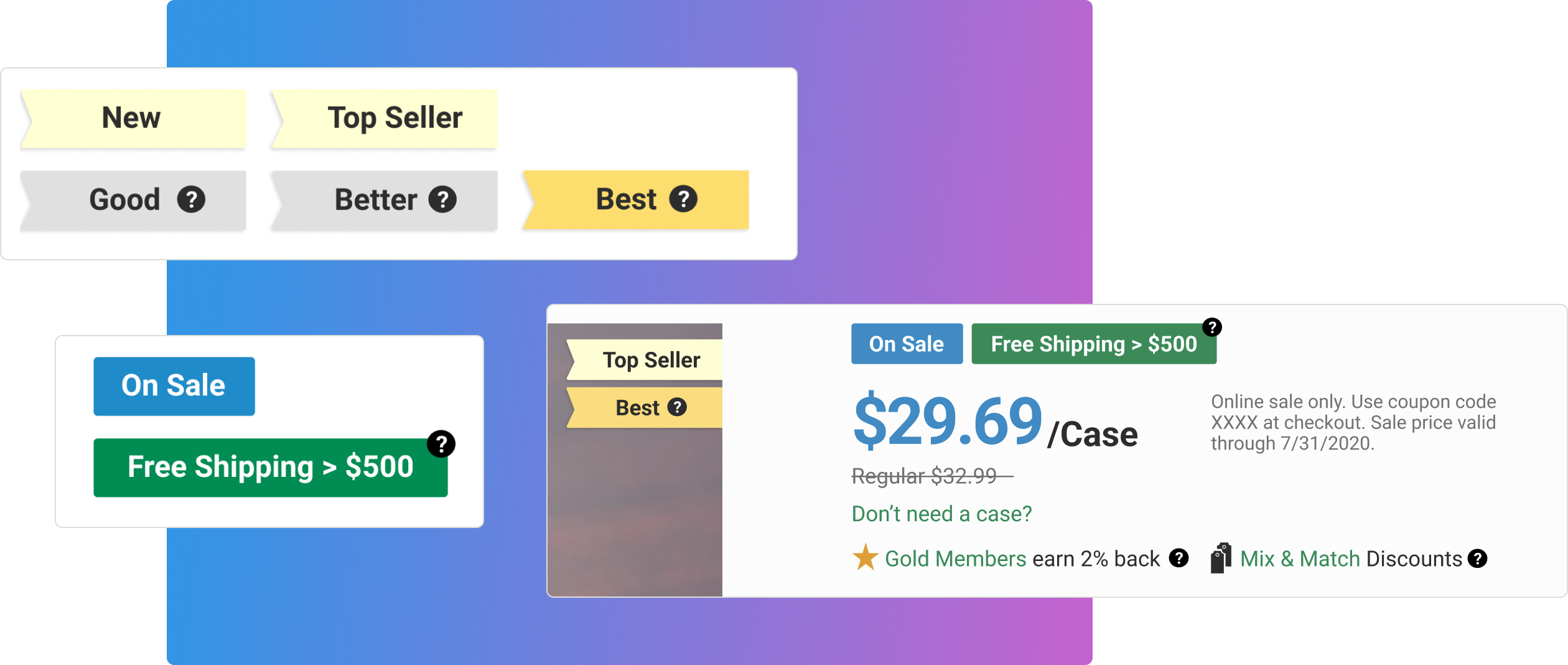
Tags use less space and are an effective way to present crucial supporting details for shopping decisions without detracting from the visual emphasis on pricing.
Delivery Options
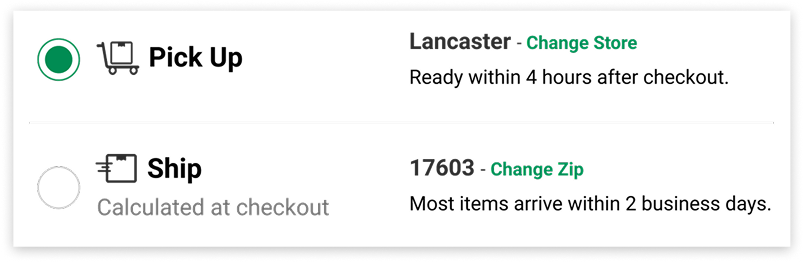
Radio buttons with detailed information make pickup and shipping choices more visible. By adding supporting actions—such as changing the address or pickup location—directly on the PDP, I was able to keep customers in the sales funnel and reduce decision fatigue during checkout.
Selection Patterns
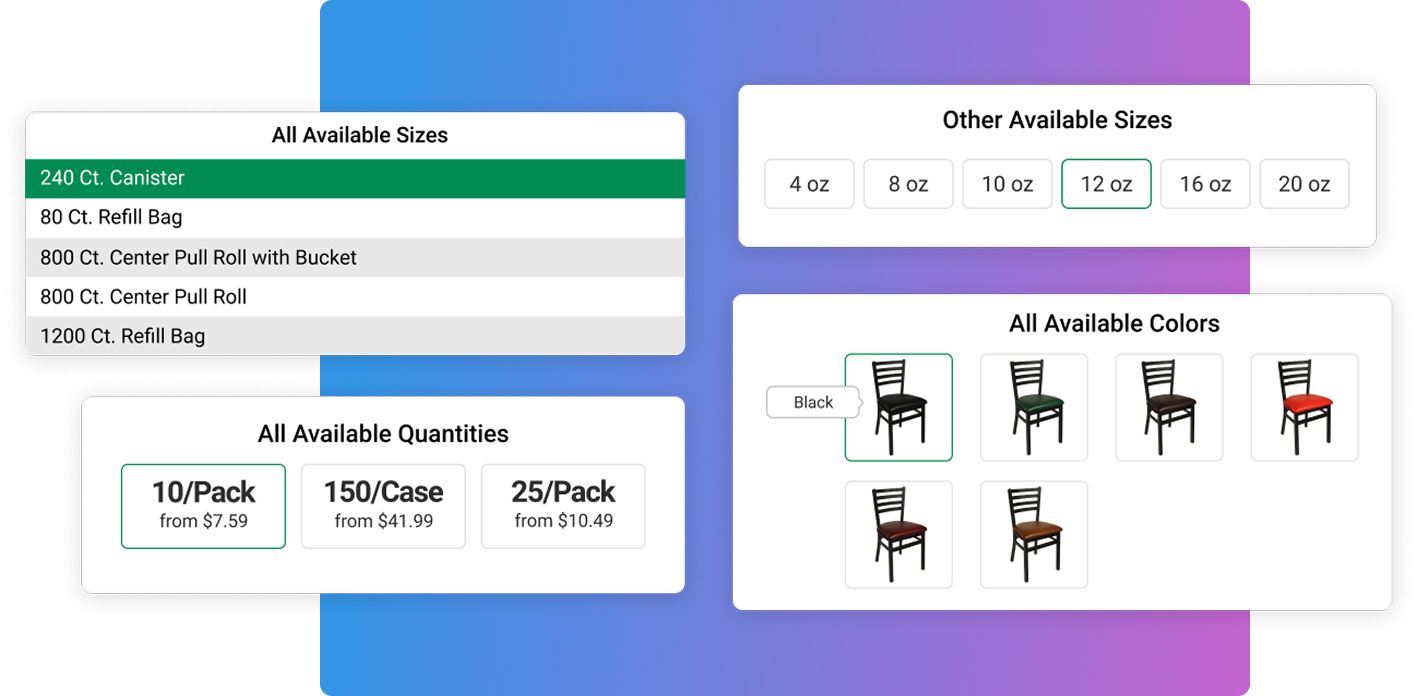
Not every selection type deserves the same visual treatment. One of my favorite challenges was developing selection patterns for an online inventory of more than 30,000 SKUs. When color was essential to the decision-making process, thumbnails served users best. When quantities or sizes were more important, selectable cards or tiles provided a clearer experience.
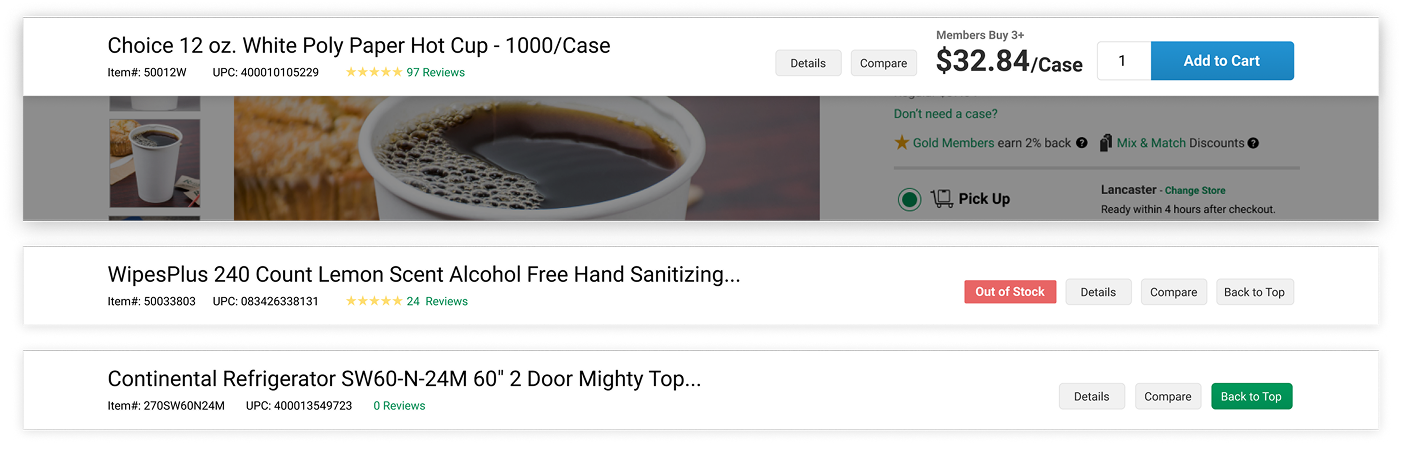
Sticky Header
A new sticky header for instant shopping led to more mobile conversions.