Supervisor System

A collaborative space for Webstaurant Store’s enterprise customers at to manage their orders, spending, and teams

Problem

The Supervisor System enabled customers with multiple businesses or locations to manage orders and spending, but customer feedback revealed that it no longer supported the complexity of growing teams, purchasing workflows, or compliance needs.

Solution

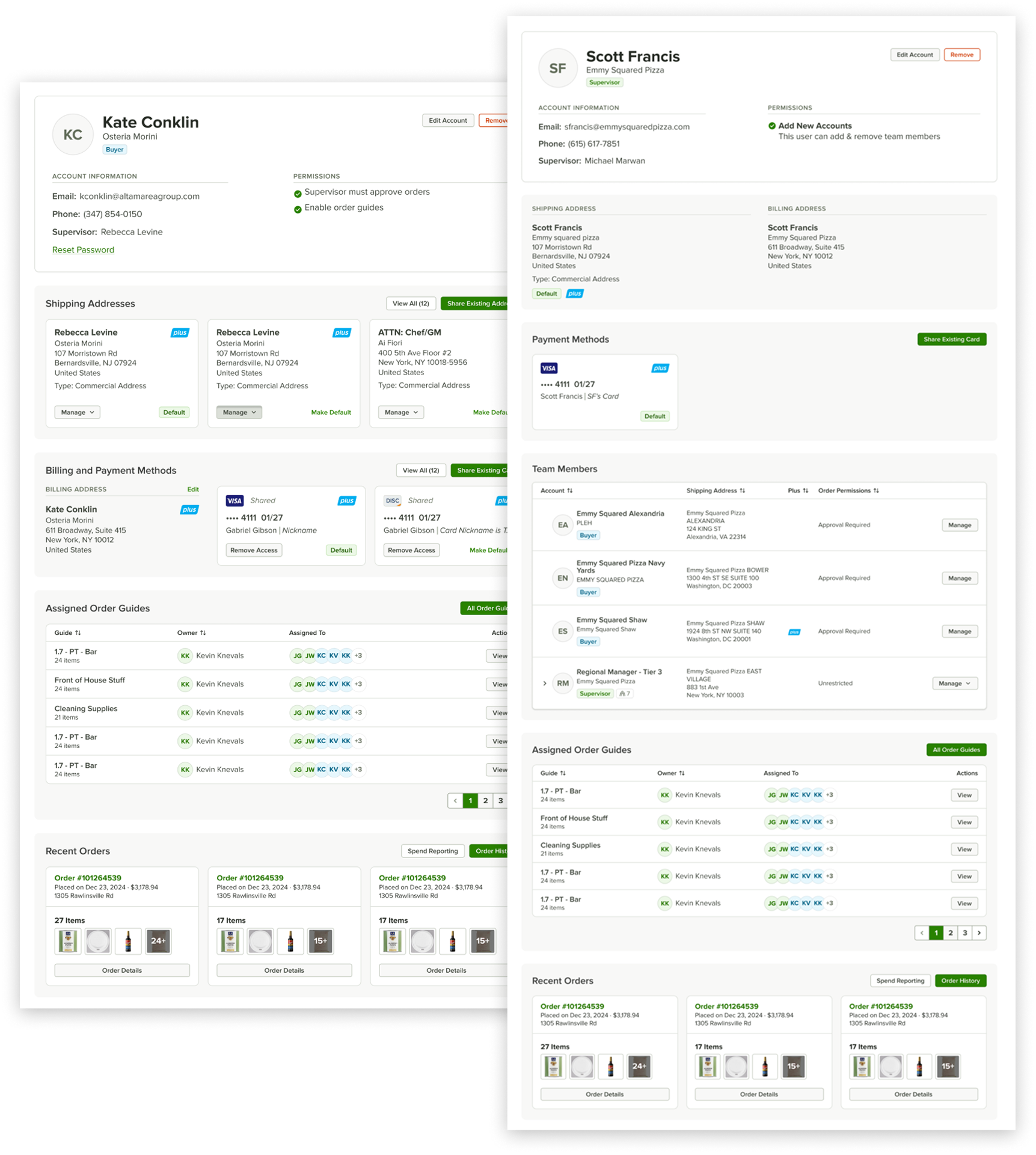
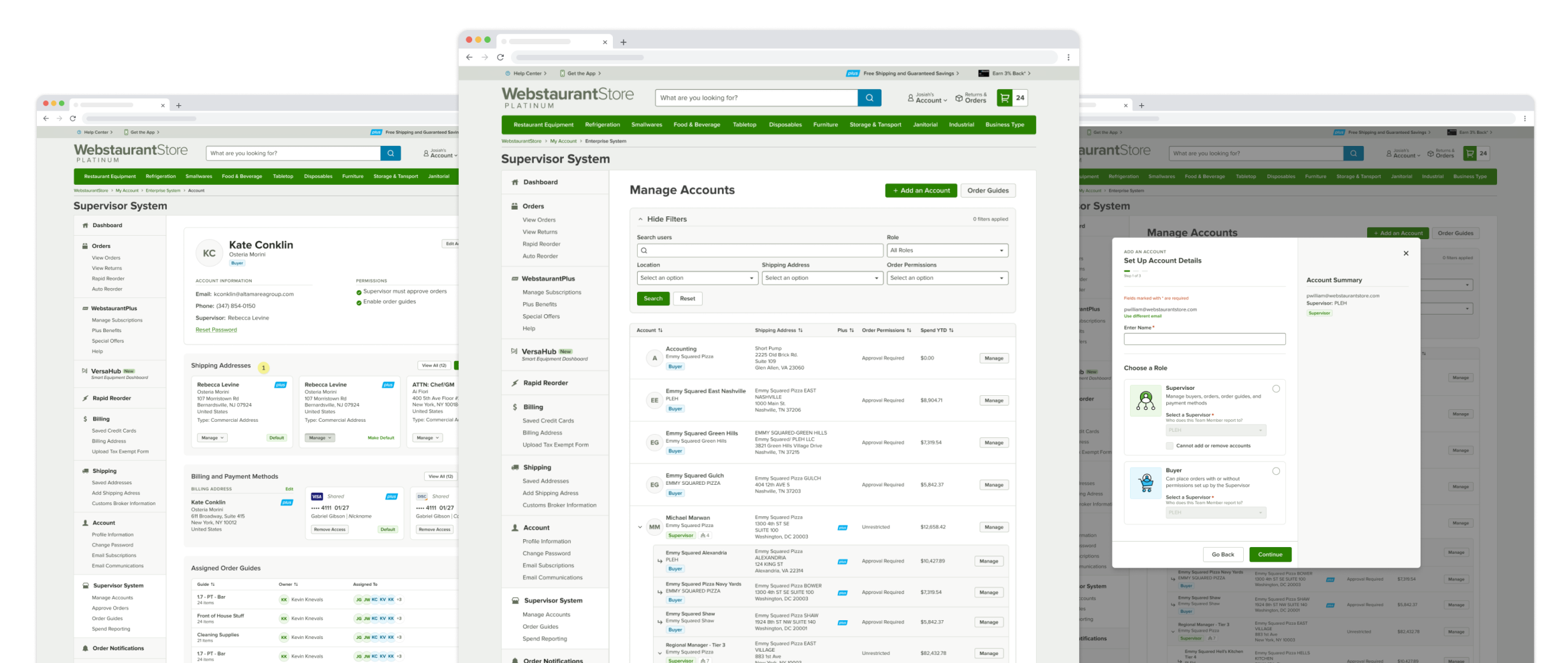
In response, my teammate Kate Renda and I led a full system rewrite, introducing enterprise-level features such as hierarchical team structures, shared assets, spending controls, and clearly defined roles and permissions—all delivered within a scalable, intuitive interface.

Goals

Over a four-month timeline, I collaborated with software engineers and the marketing director. After informally gathering feedback from managers and retail employees about their vision for a wiki that could scale with growth, the marketing director and I defined the project goals.
Create a tiered structure to support multiple teams within an enterprise
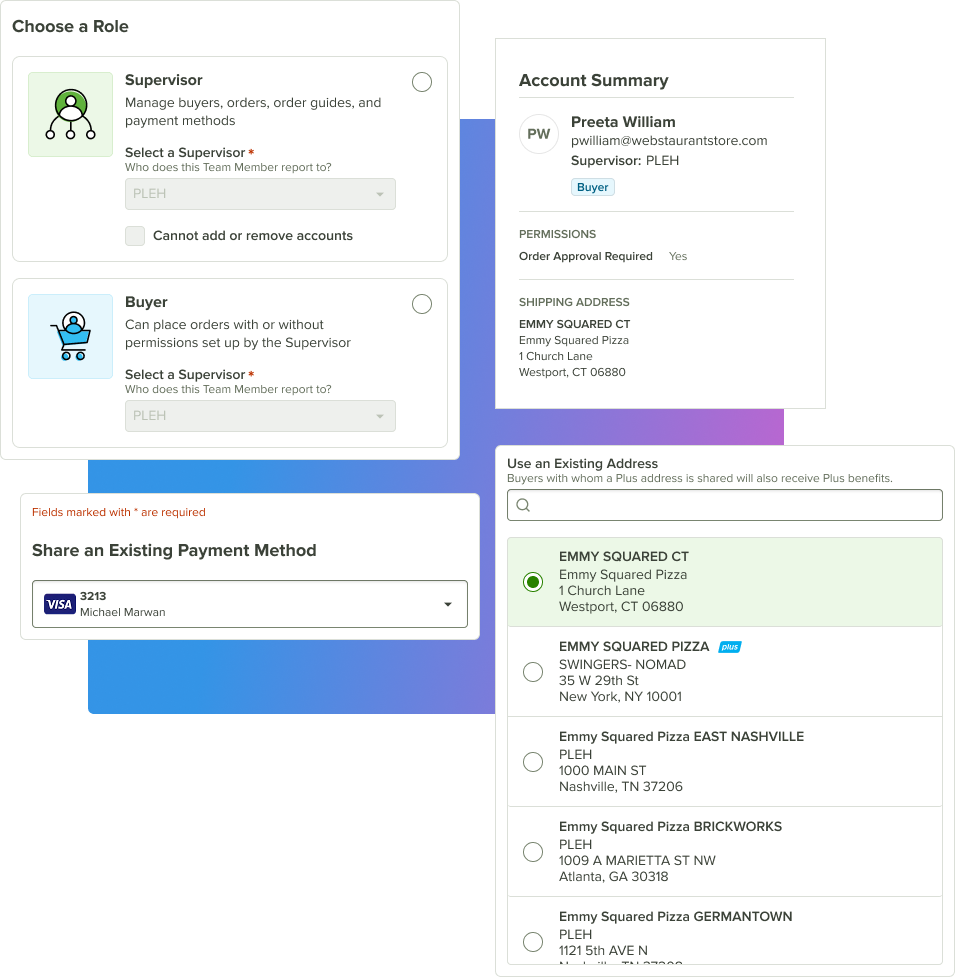
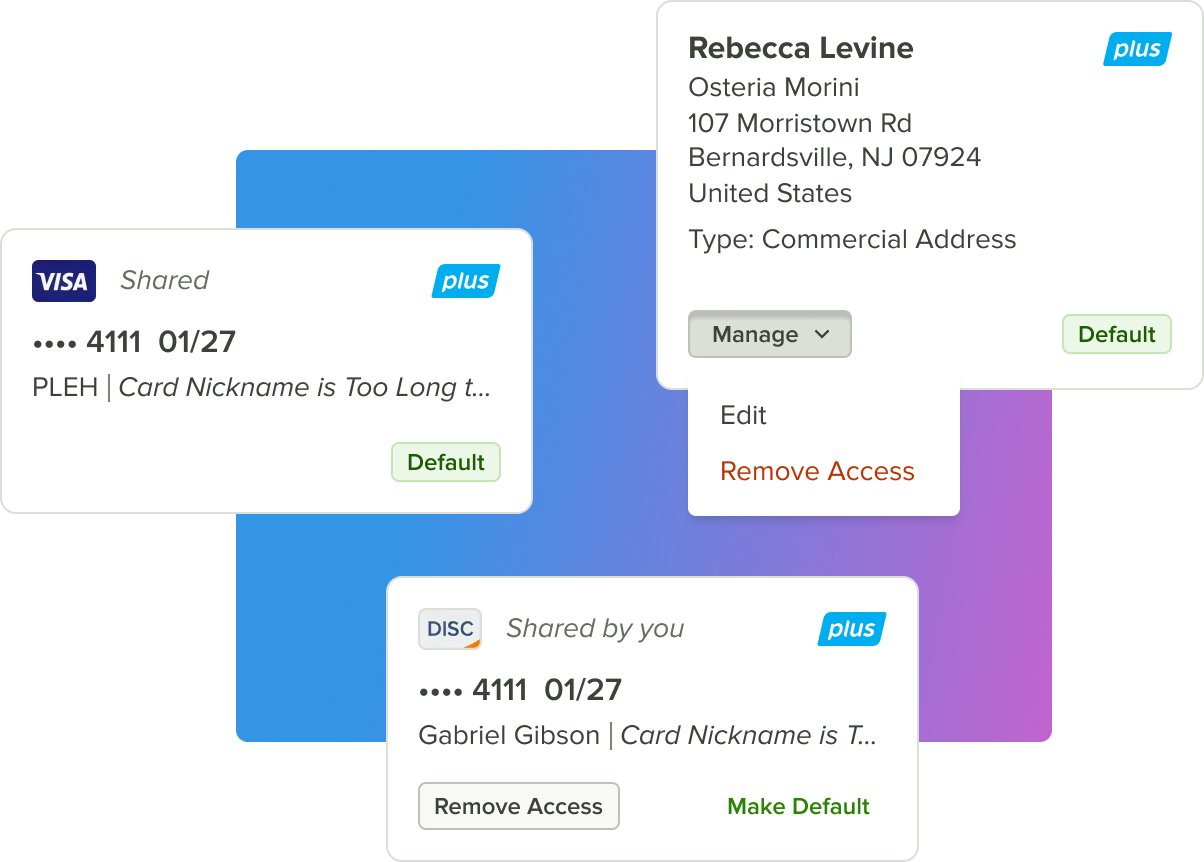
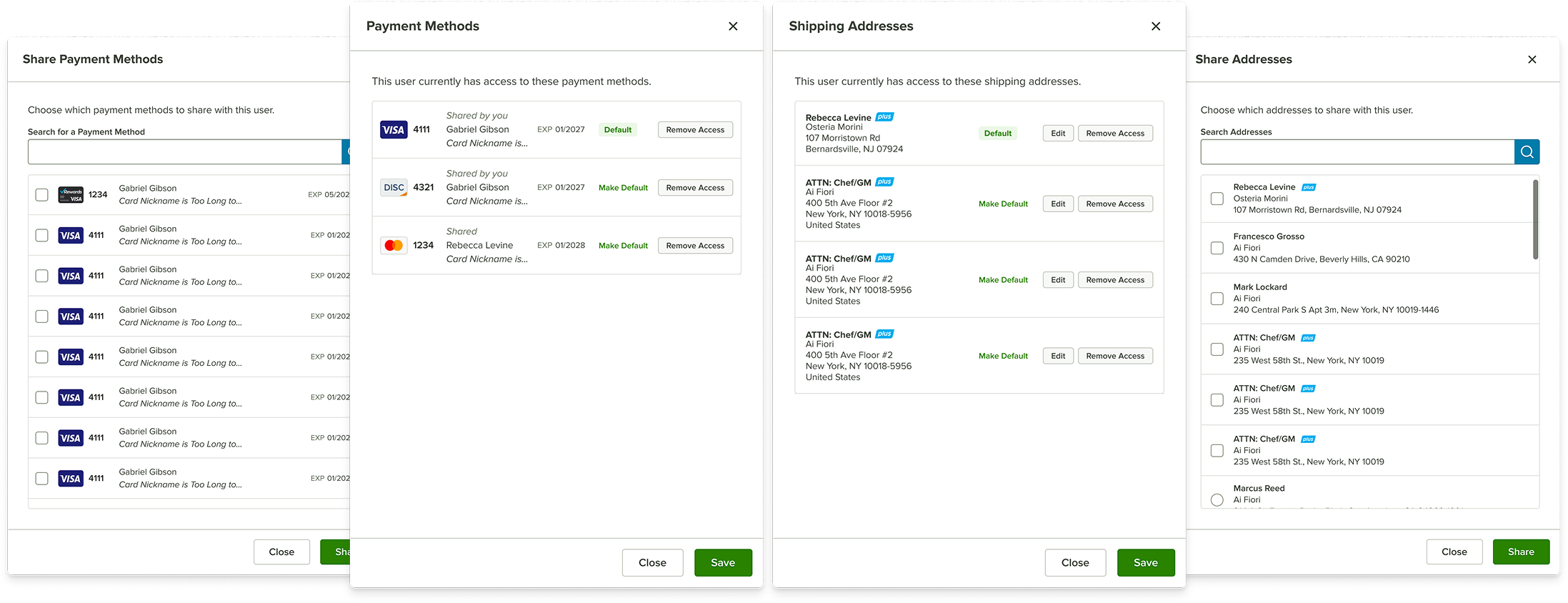
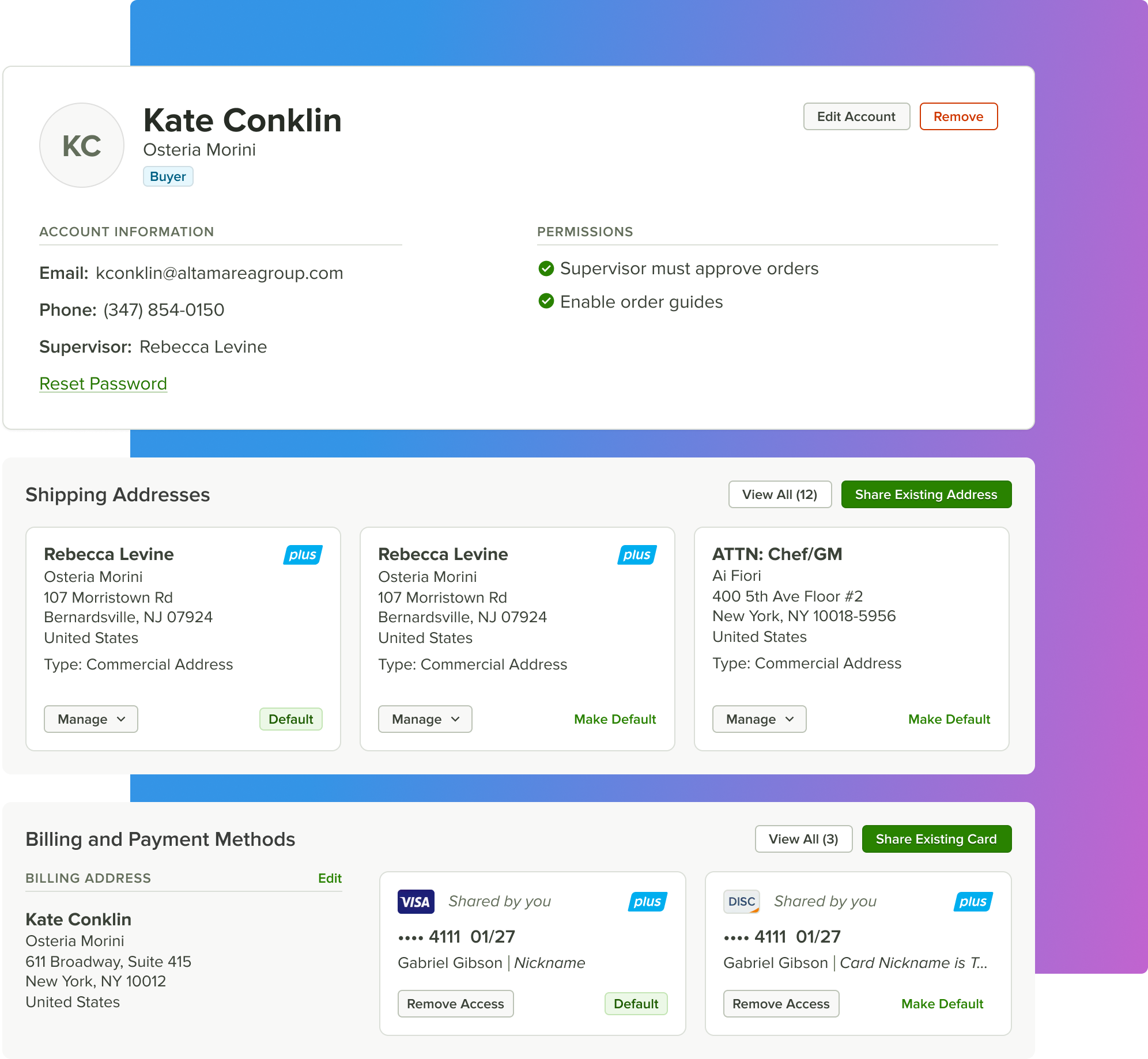
Support shared assets, including addresses, payment methods, and membership subscriptions
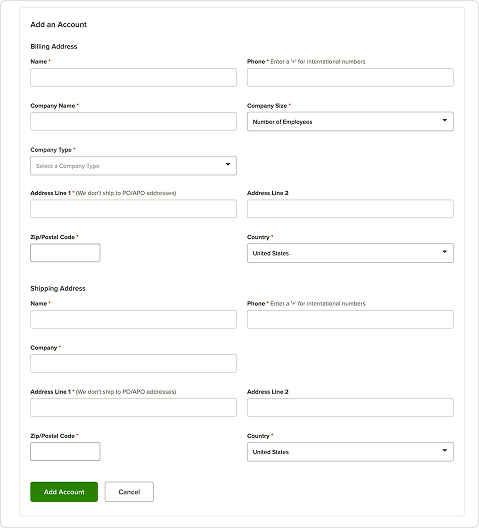
Refresh the existing UI to support new, complex interactions and features

Simple Experience, Complex UI

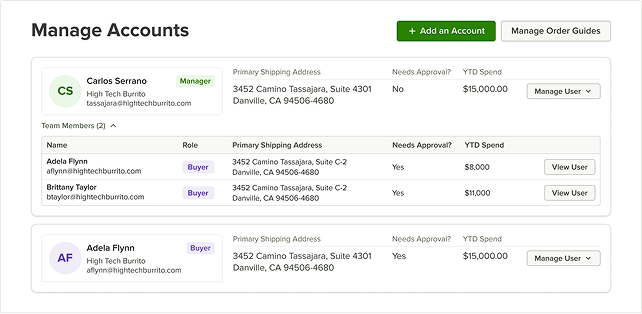
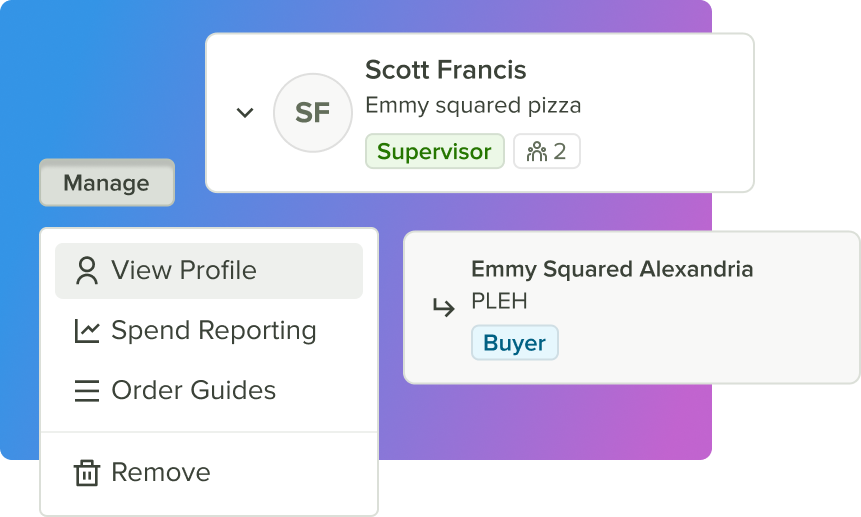
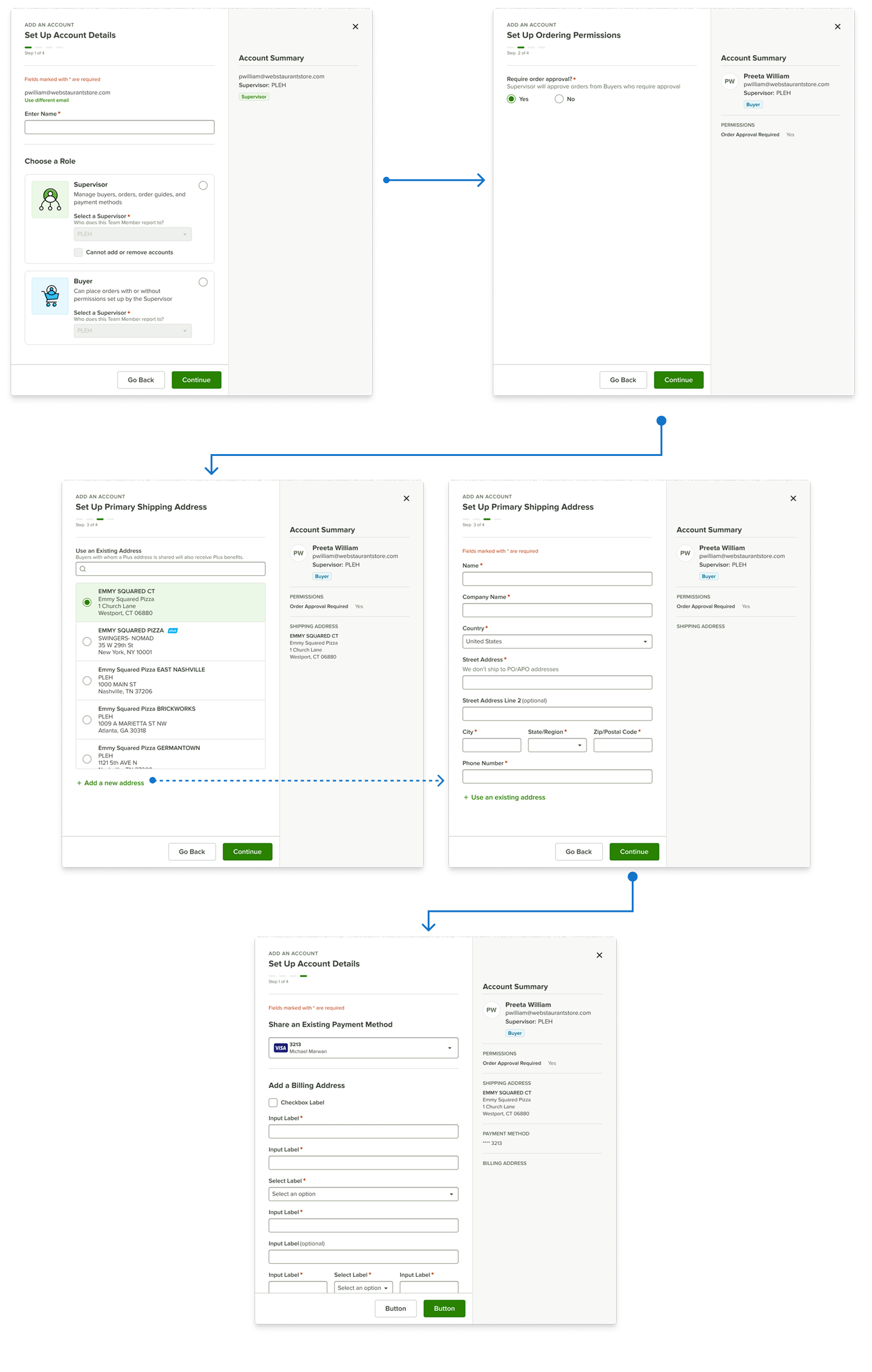
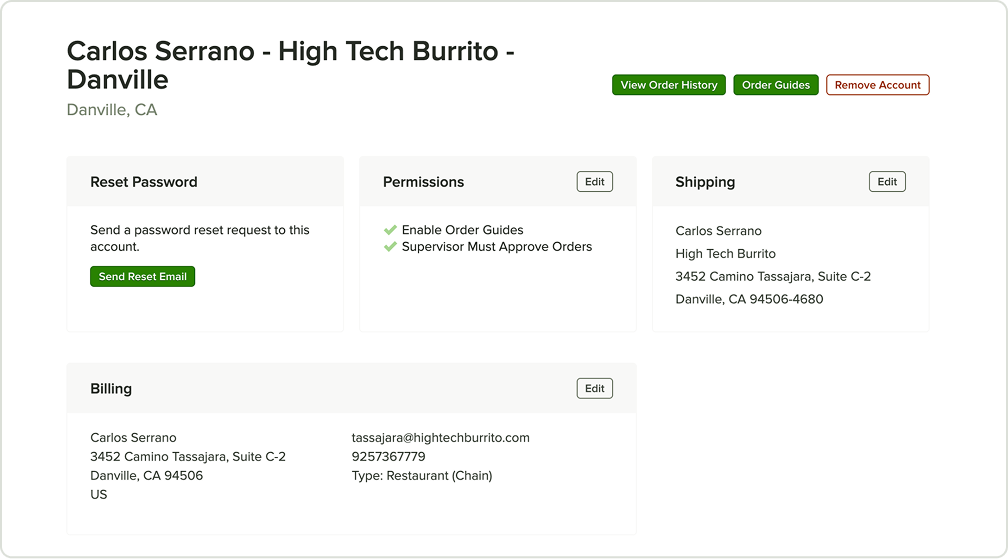
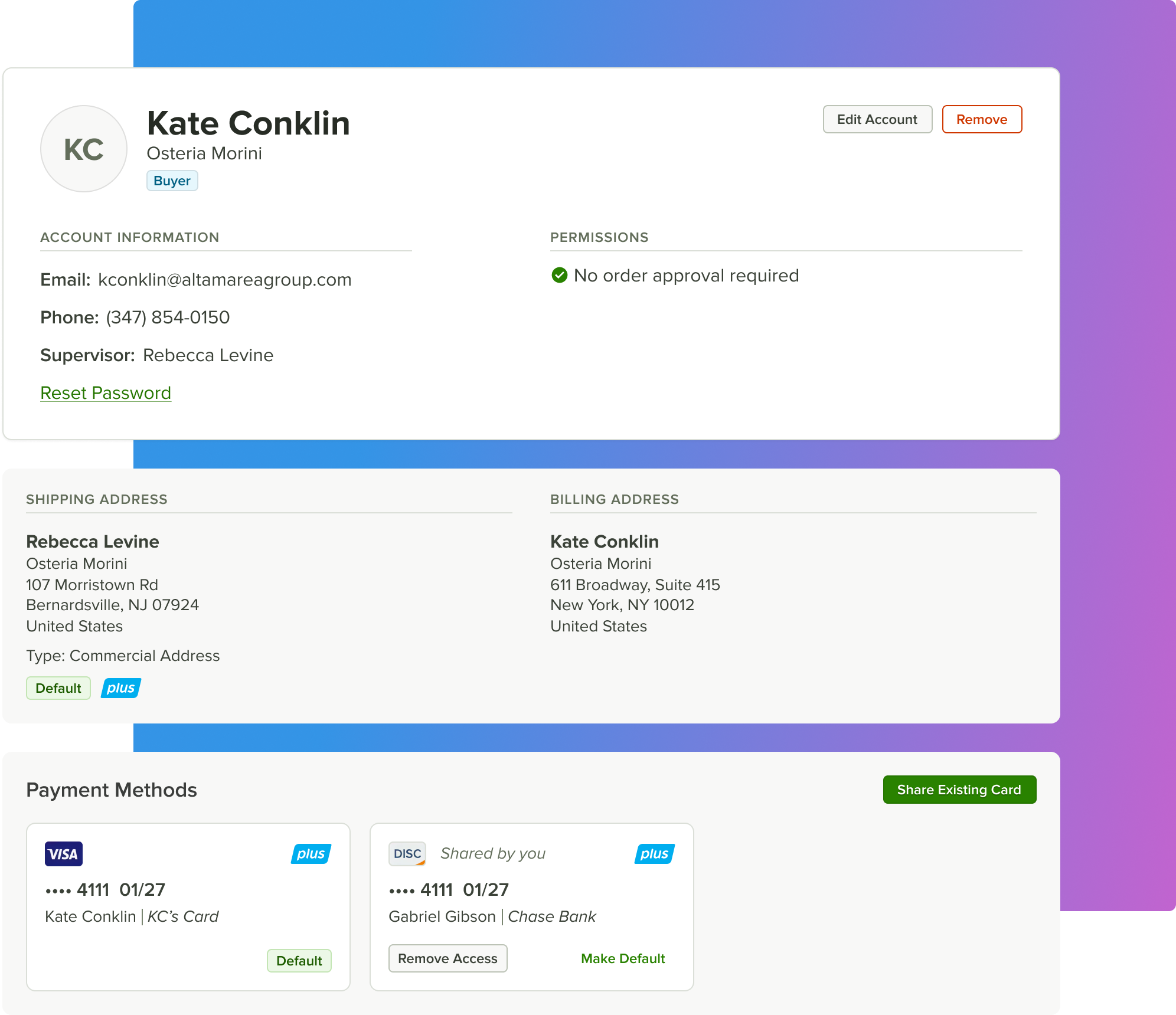
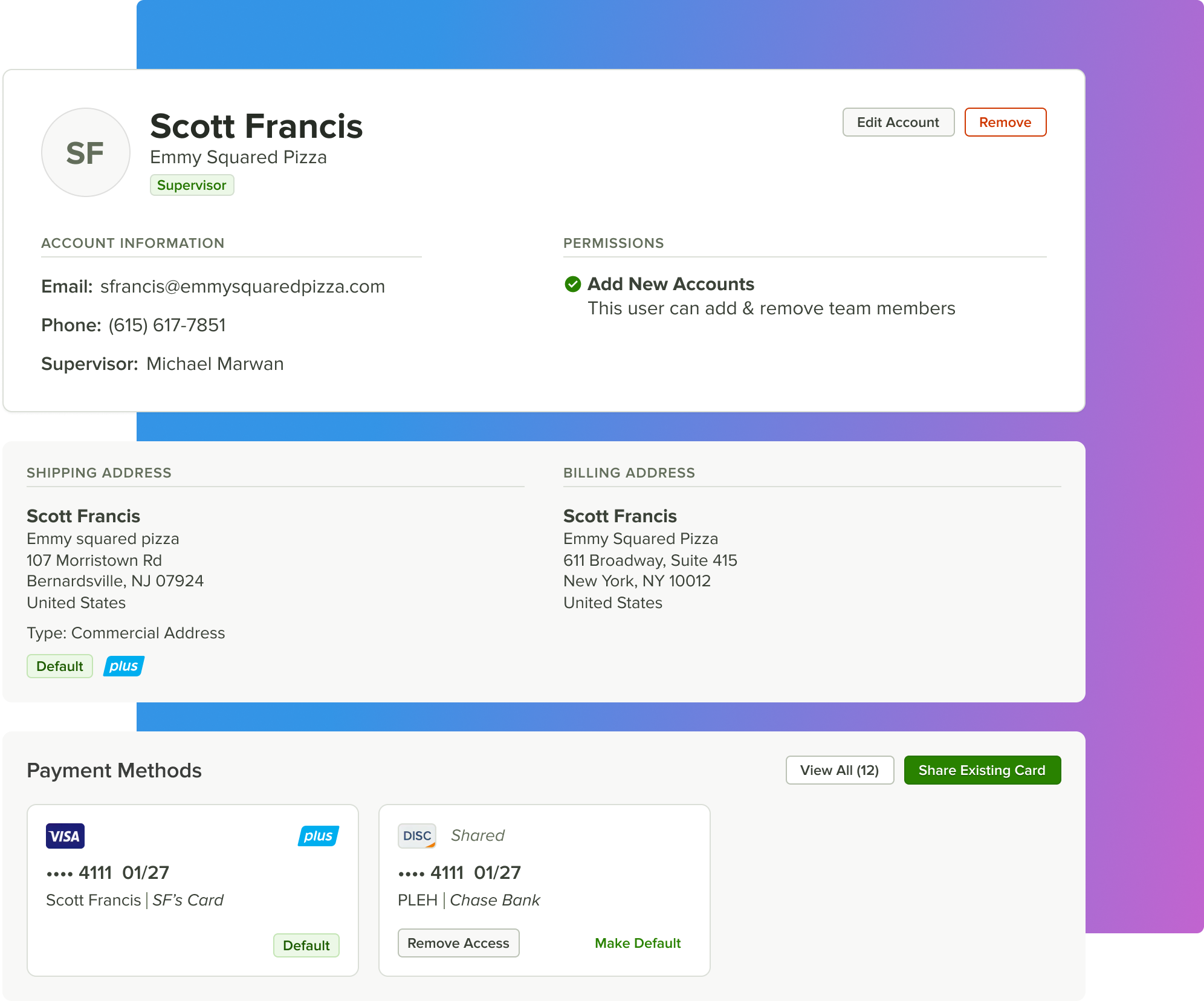
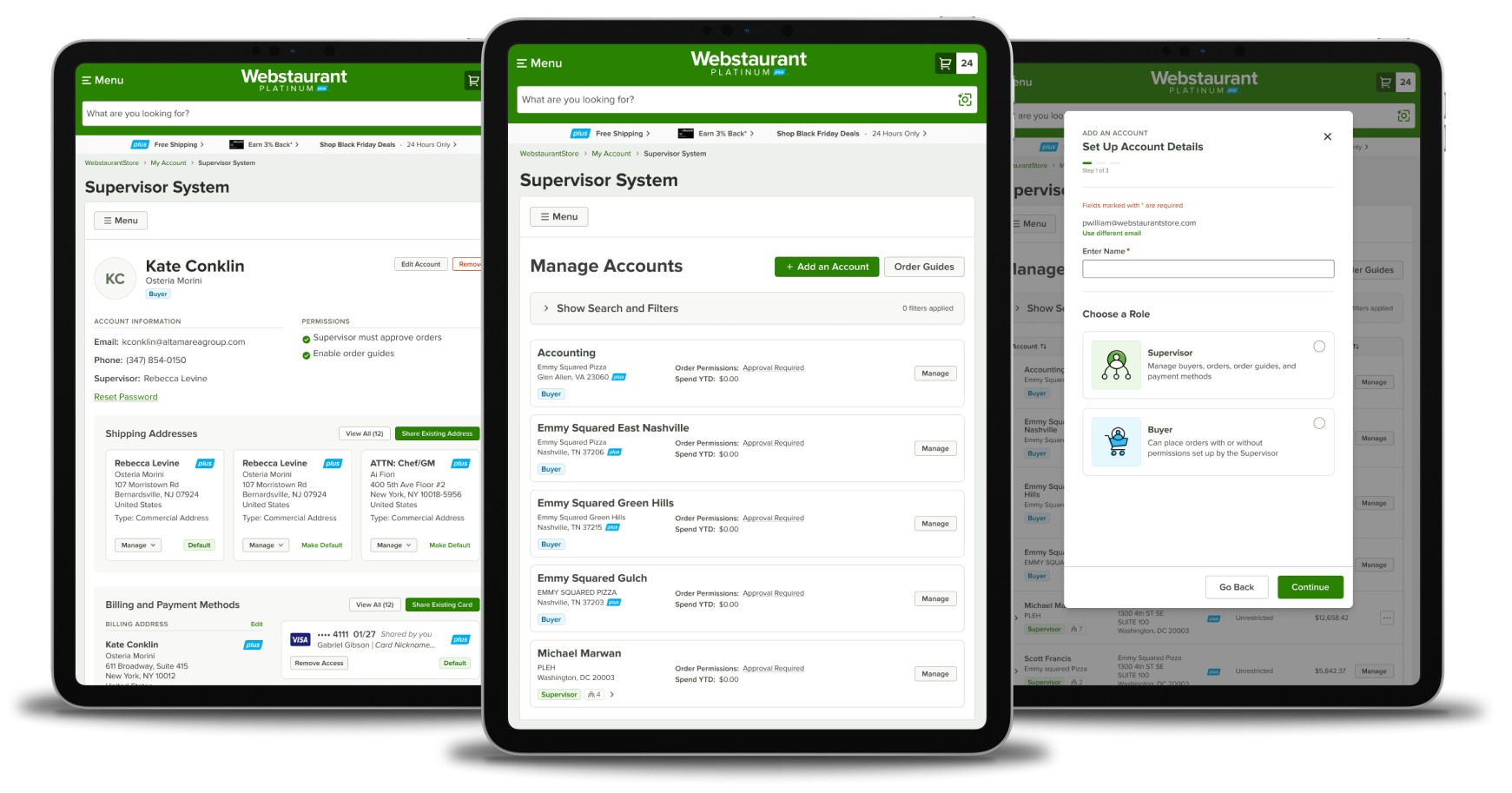
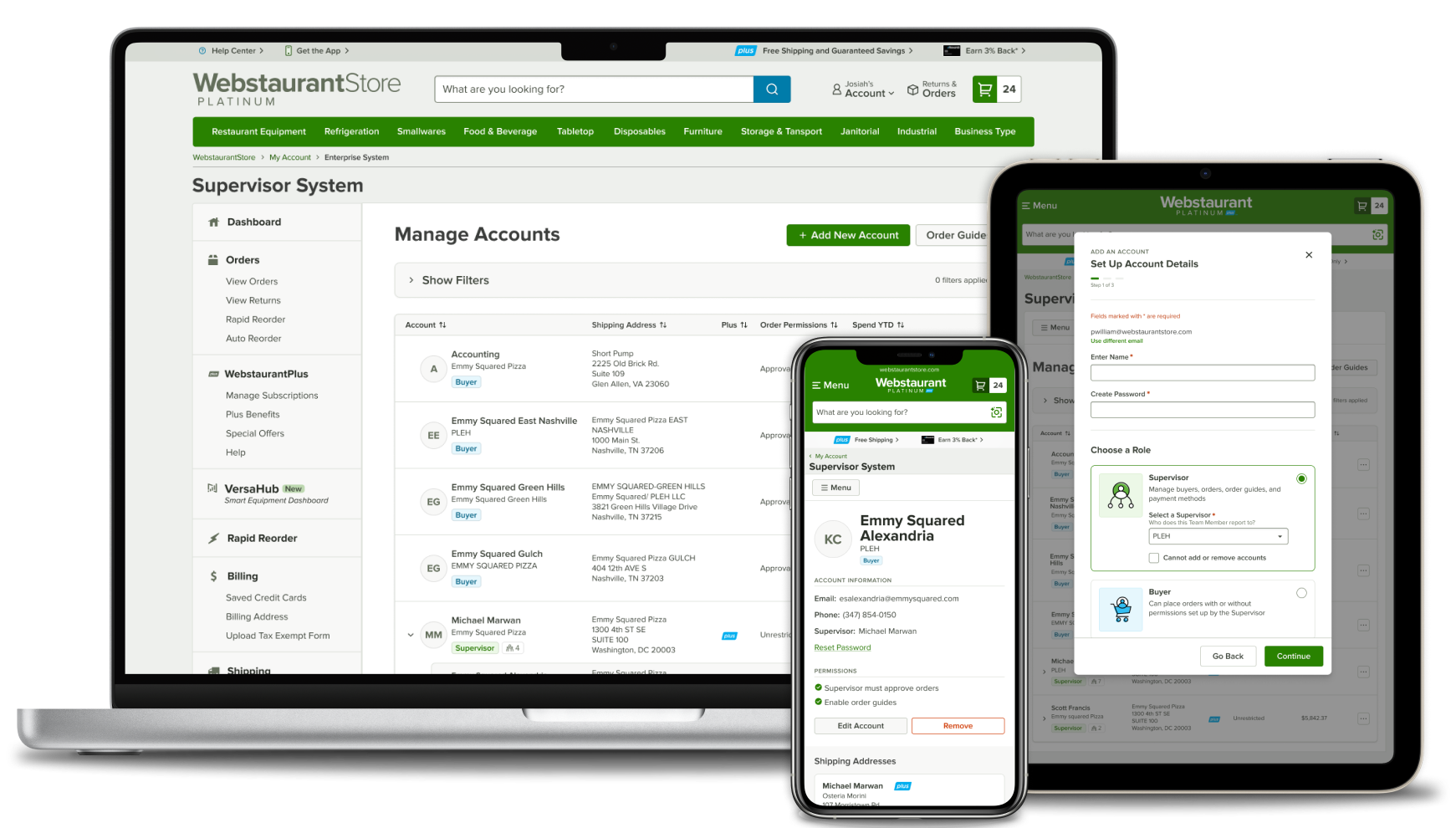
The core challenge was turning complex, data-heavy UX into a simple, intuitive UI for non-technical users. I designed compact, modular visual elements that could display interactive data clearly without overwhelming the interface.

Mobile Experience

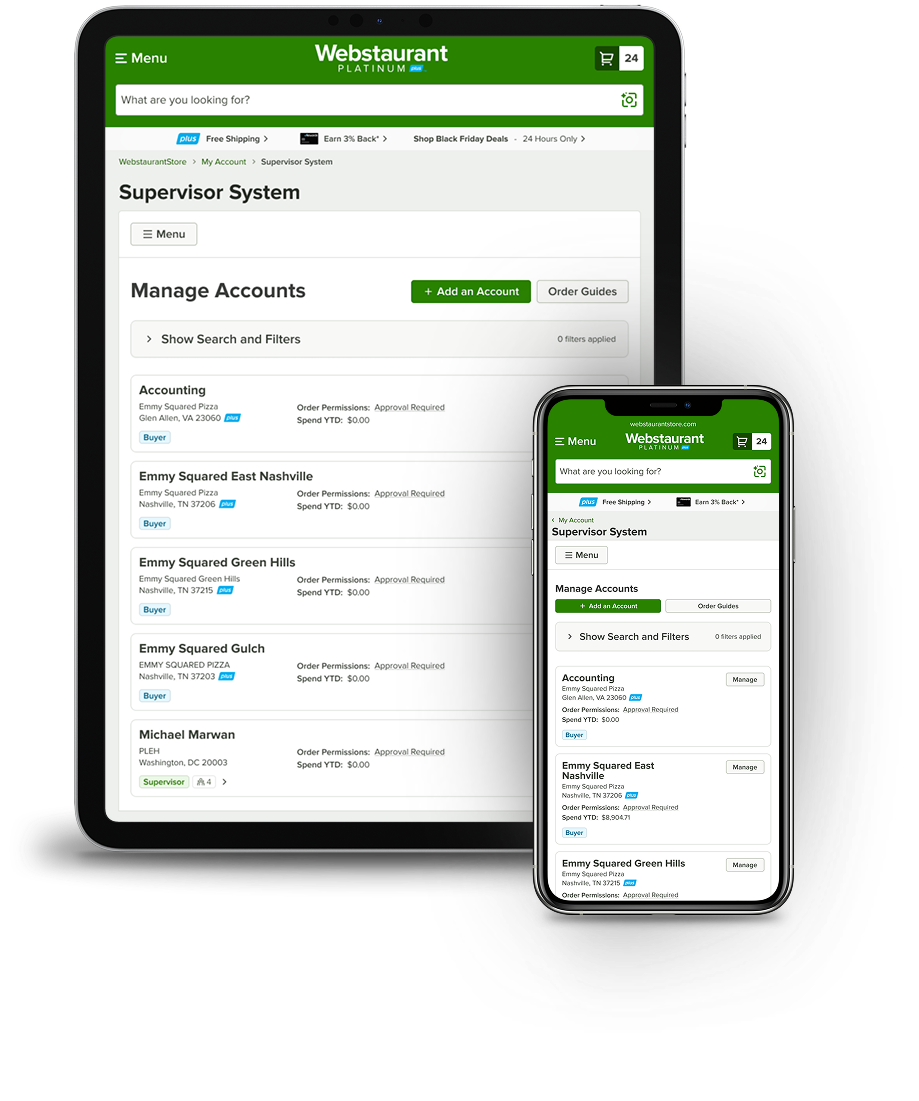
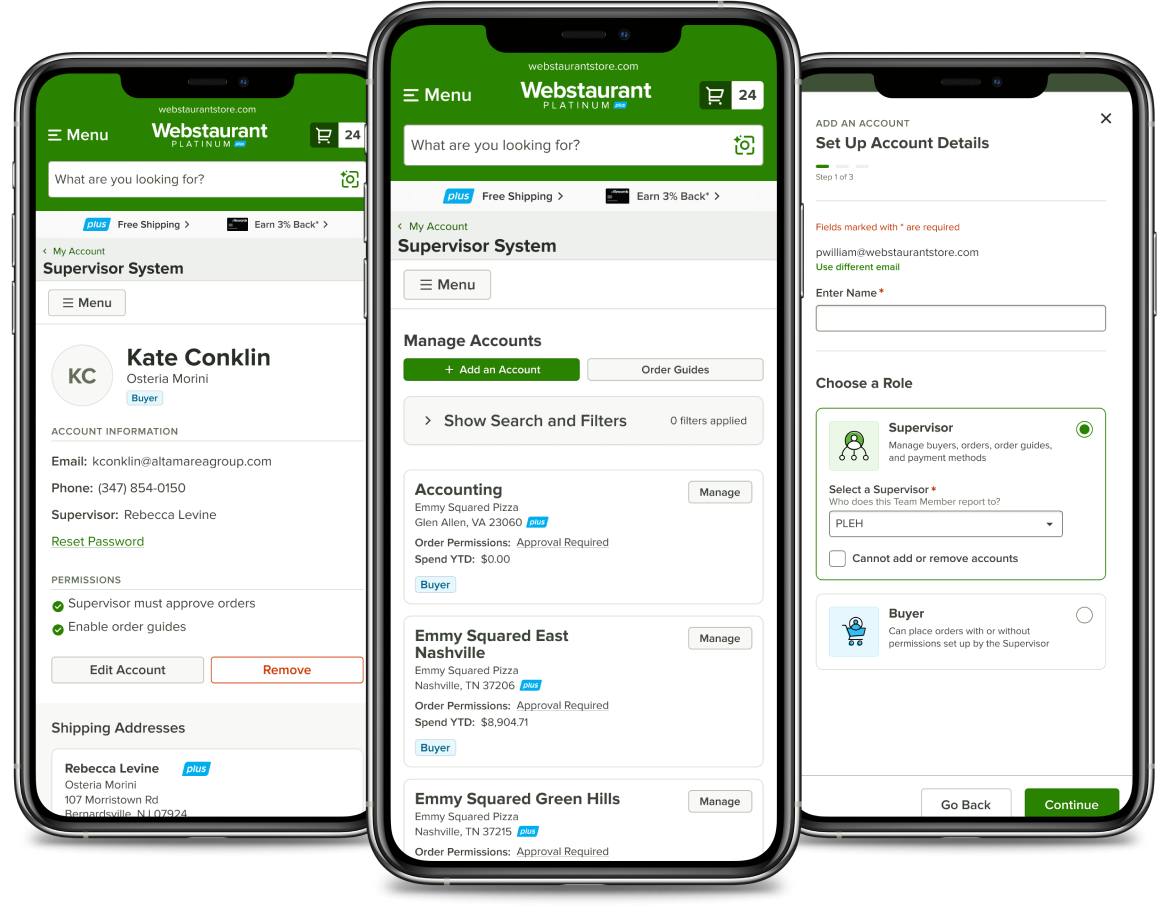
User interviews showed that most customers used the system on desktop. I prioritized the desktop experience, carefully choosing which information and actions to surface and which to hide on mobile, ensuring the design scaled cleanly across devices.
Overcoming Mistakes
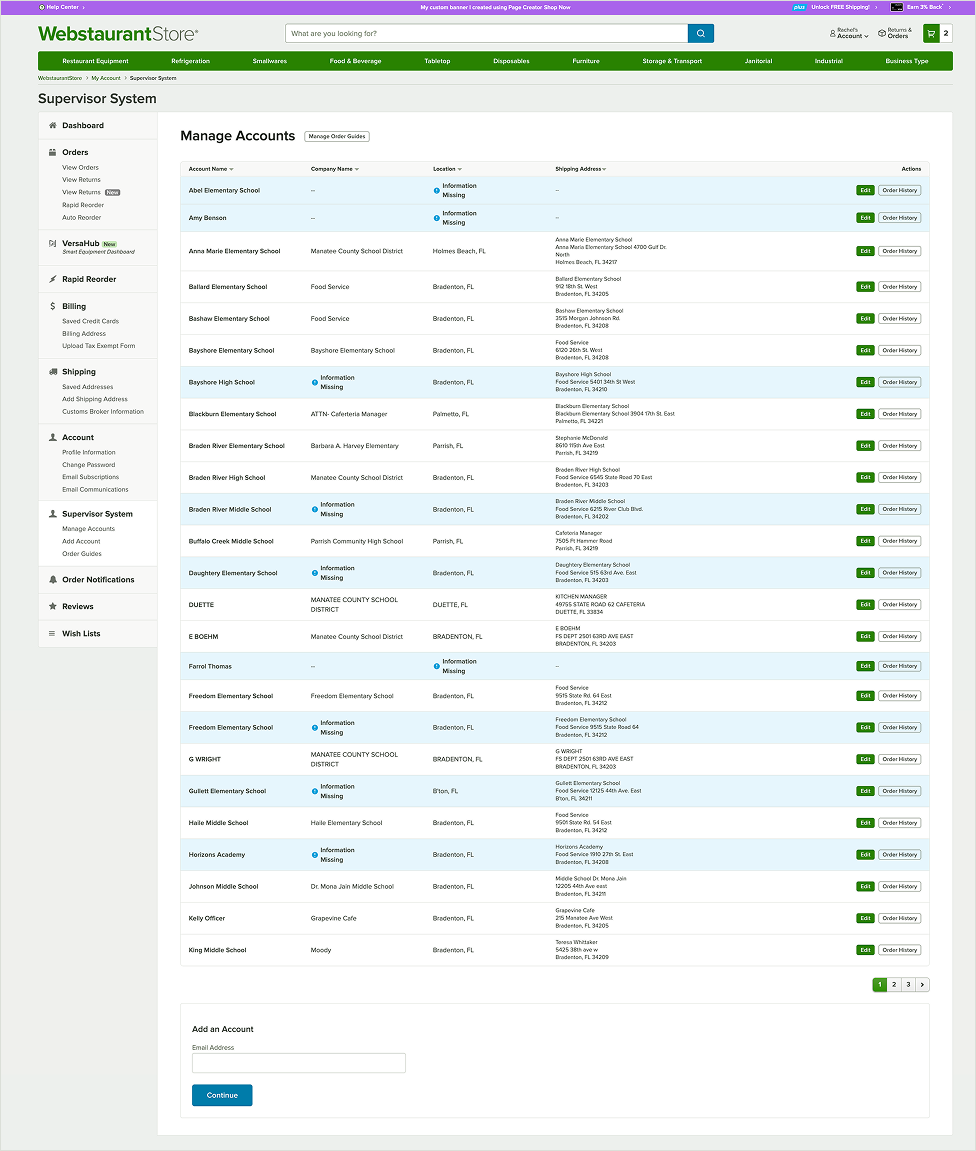
Early UI decisions slowed progress, including skipping wireframes and using cards where tables were more appropriate. These setbacks reinforced the importance of evidence-based design and aligning solutions with user expectations—even when challenging initial direction.
Applying these lessons, I partnered closely with development and stakeholders to iterate and release the MVP in phases. This approach reduced ambiguity, improved cross-functional collaboration, and kept the project moving forward on a realistic timeline.